Purchase order integration decides whether a PO is created once and followed everywhere, or retyped from one tool to the next. In many companies, a purchase order is created in the procurement tool, keyed again into the ERP, and ends up with a different number in each. Receipts do not match, invoices are blocked, and nobody can say which version is right. This guide follows one object only, the purchase order, from creation to closure: who owns the PO number, what each step sends, how changes and cancellations are handled, which fields to map, and what changes for services. For the full picture of systems and methods, see our guide to procurement integration.
What is purchase order integration?
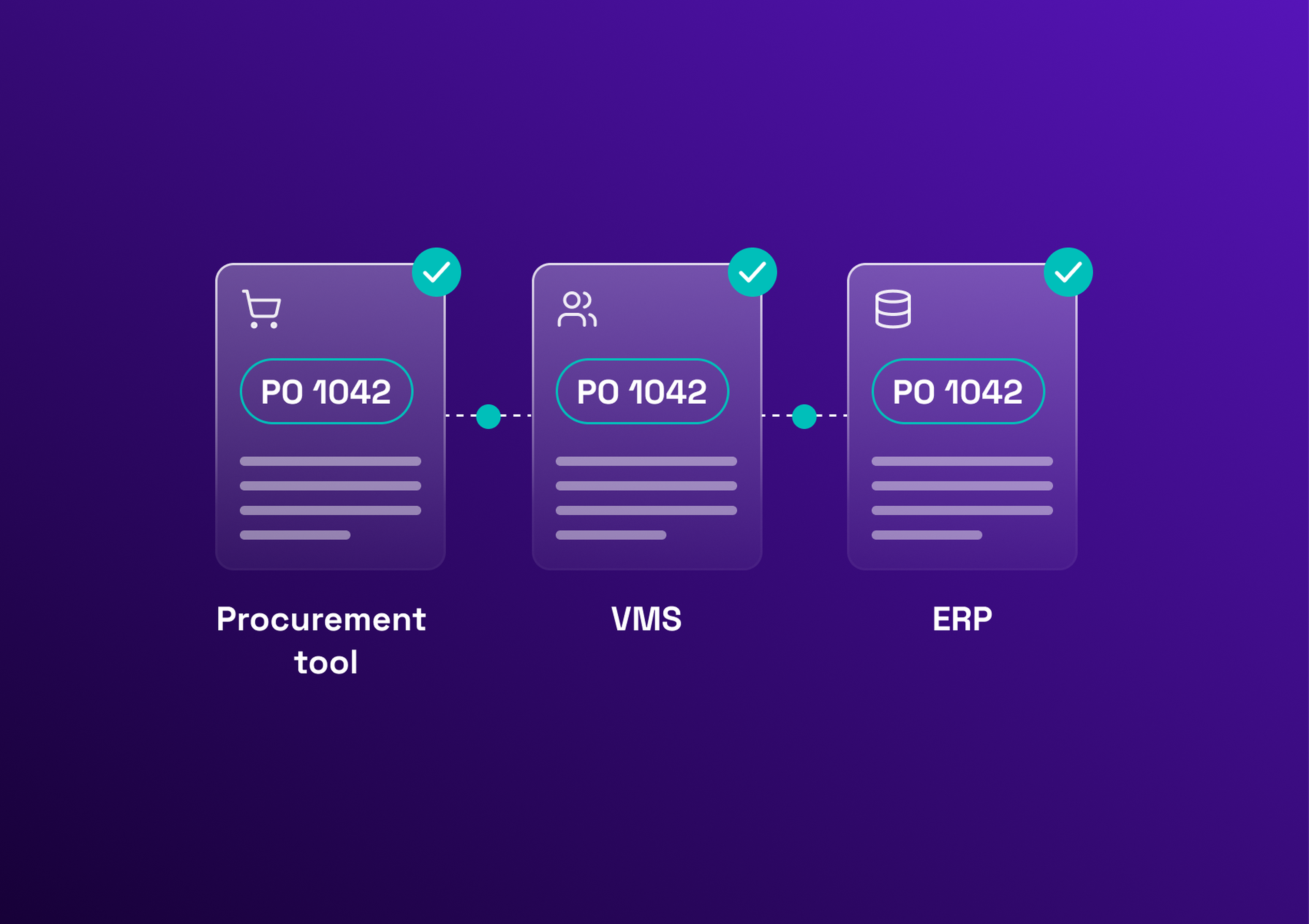
Purchase order integration is the automatic exchange of purchase order data between the tools that create, approve, send, receive against and close it, usually an e-procurement tool, a VMS and an ERP. It keeps one PO number, one set of fields and one status in every system, without retyping.
A PO passes through several tools, and each handoff is a chance for a typo, a delay or a duplicate. The integration defines, for each one, the trigger, the data and the confirming response.
Which systems create, receive and update a purchase order?
| System | Role on the PO | Examples |
|---|---|---|
E-procurement or S2P tool | Captures the requisition, routes approvals, often creates the PO | Coupa, SAP Ariba |
VMS | Handles services POs: assignments, rate cards, timesheets and milestones, and holds the PO reference | Eleven VMS |
ERP | Commits the budget, holds the financial record, posts receipts and invoices | SAP S/4HANA, Oracle, Dynamics 365 |
Supplier portal or network | Delivers the PO to the supplier and returns the acknowledgment and requested changes | A supplier portal or a supplier network |
ERP purchase order integration is usually where a project starts, because the ERP holds the budget and the financial record. The VMS connects to the same flow, through open APIs for the ERP (SAP, Oracle, Workday) and for e-procurement platforms (Coupa, Ivalua). Methods are covered in the pillar guide on integration methods.
The PO integration lifecycle, step by step
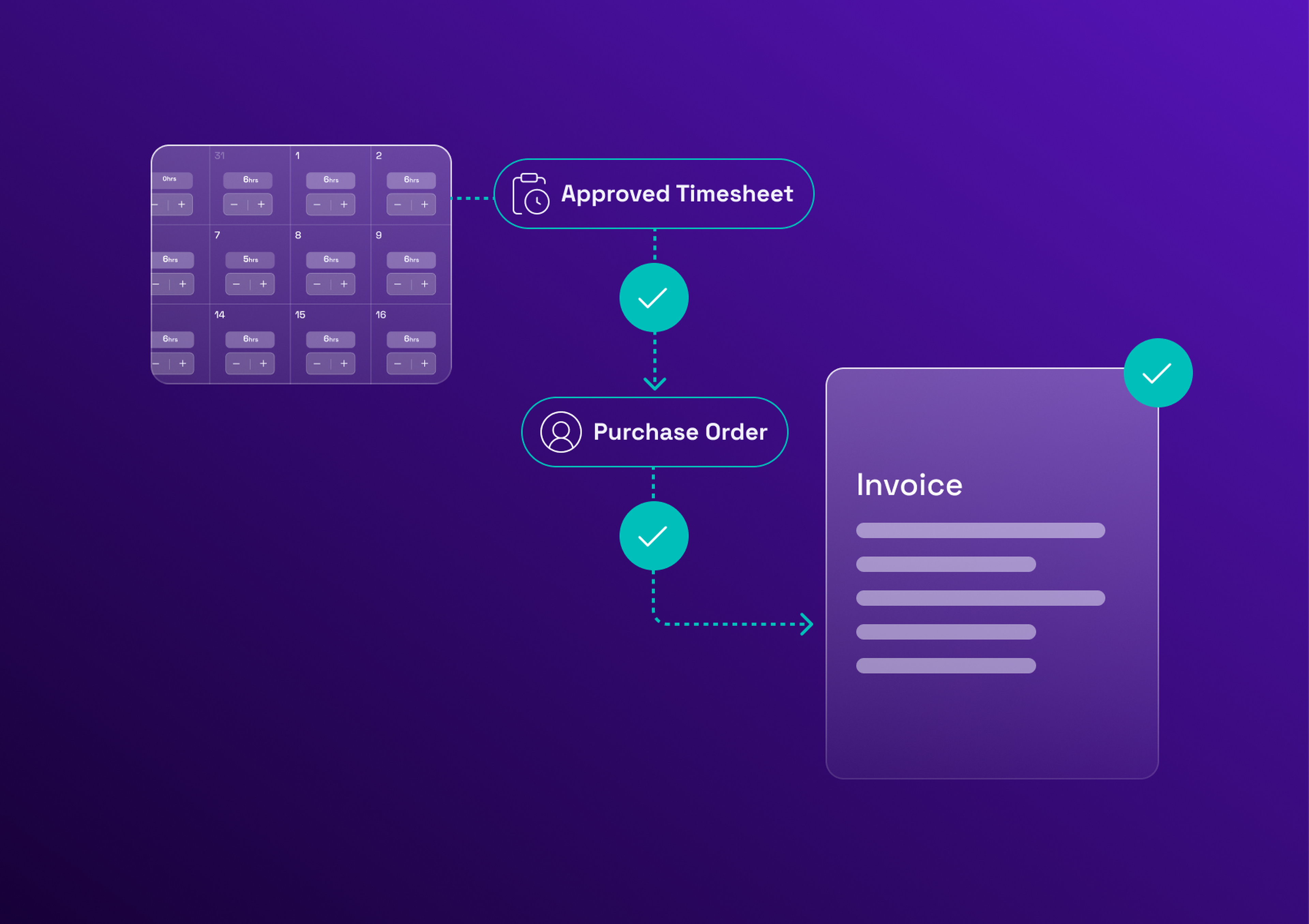
Seven steps take a PO from requisition to closure. Each follows the same format: trigger, data sent, source tool, target tool and expected response. This is the core of any p2p integration, and the PO sits at the centre of the source-to-pay process, whichever tools are in place.
1. Purchase requisition created and approved
A manager submits a need: requester, description, estimated amount, cost center and spend category. For goods, the requisition lives in the e-procurement tool. For services, it often starts in the VMS, with the statement of work, and is pushed to the e-procurement tool. It moves to the next tool only after final approval, and the expected response is an approved status.
2. PO creation: which system owns the PO number?
Two systems can usually create the number, and only one should. The choice is the most important decision of the integration.
| Option | How it works | Advantages | Risks |
|---|---|---|---|
The ERP creates the number | The ERP creates the PO and sends the number back to the procurement tool | One numbering sequence in finance, the ERP stays the single record of commitments | The PO exists in the procurement tool only after the ERP replies, so an ERP outage delays the supplier |
The procurement tool creates the number | The tool creates the PO and the ERP takes it over | The PO reaches the supplier immediately, without waiting for the ERP | Number formats can clash with the ERP's sequences, and replayed messages can create duplicates |
The rule is to name one owner per PO type, for example per category of services, and never let both systems create a number. Whichever option you choose, every PO also needs a unique technical ID, so that a message sent twice cannot create two POs.
3. PO pushed to the ERP as a budget commitment
Trigger: the PO is approved. Data: lines, supplier ID, accounts, amounts. Source to target: procurement tool to ERP. Response: the ERP confirms the commitment, and returns the number if it owns it.
4. PO sent to and acknowledged by the supplier
Trigger: the PO is issued. Data: the PO document and terms. Source to target: procurement tool or supplier portal to supplier. Response: an acknowledgment, or a rejection or change request that returns to the PO flow.
5. Receipt: goods receipt or validated timesheet
Trigger: goods are delivered, or a timesheet is validated for services. Data: quantity or days, date, PO line. Source to target: warehouse or VMS to ERP. Response: the receipt is posted and the PO line balance updated.
6. Invoice matched against PO and receipt (three-way match)
Trigger: an invoice arrives. Data: invoice lines, PO reference, receipt. Source to target: invoice tool to ERP. Response: if the three documents agree, payment is released, otherwise the invoice is blocked and queried.
7. PO closure and status sync back
Trigger: the PO is fully received and invoiced, or short-closed. Data: closing status, amount released. Source to target: ERP back to procurement tool and VMS. Response: the PO is closed everywhere and unused budget is released.
| Step | Trigger | Source to target | Data | Response |
|---|---|---|---|---|
1. Requisition | A need is submitted and approved | Requester tool to approval workflow | Requester, amount, cost center, category | Approved status |
2. PO creation | The requisition is approved | Owner of the PO number to the other systems | PO header, lines, unique ID | PO number shared |
3. Commitment | The PO is approved | Procurement tool to ERP | Lines, supplier ID, accounts, currency | Commitment confirmed |
4. Supplier | The PO is issued | Procurement tool or portal to supplier | PO document and terms | Acknowledgment |
5. Receipt | Delivery or validated timesheet | Warehouse or VMS to ERP | Quantity or days, date, PO line | Receipt posted |
6. Invoice match | An invoice arrives | Invoice tool to ERP | Invoice lines, PO and receipt | Match passes or invoice blocked |
7. Closure | Fully received and invoiced, or short-closed | ERP to procurement tool and VMS | Closing status, amount released | PO closed everywhere |
Handling PO changes, cancellations and closure
Changes are where integrations break most, because every tool holds a copy of the PO. The figures are illustrative.
Change orders and PO versioning
Rule: keep the PO number and send the full updated PO as a new version, not only the change. The receivers replace the old version, and a missed change cannot corrupt the PO. Require re-approval when the amount goes up beyond a set threshold. Example: a PO for 100 days at 600 euros (60,000 euros) is extended by 20 days. Version 2 carries 120 days and 72,000 euros, the 12,000 euros increase goes to re-approval, and the ERP commitment moves from 60,000 to 72,000 euros.
Cancelling a PO after partial receipt
Rule: cancel only the part that has not been received. What has been received stays on the PO and is invoiced. Example: on the same 60,000 euro PO, 40 days (24,000 euros) have been received. Cancelling the rest releases 36,000 euros of commitment in the ERP, and the supplier invoices the 24,000 euros received.
Short-closing and final closure
Rule: short-close a PO when the remaining amount will not be consumed, and close it for good only when received and invoiced amounts agree. Example: on the same 600 euro day rate, a PO has 3 unused days out of 100. Short-closing releases 1,800 euros of budget, and the PO closes once the last invoice is matched.
Field mapping: the data every purchase order must carry
Purchase order sync only works if both sides agree on the fields. The record for each field depends on your setup: what matters is one named system per field, with the others receiving it as read-only. The table shows a typical mapping.
| Field | System of record | Mandatory? | Common pitfall |
|---|---|---|---|
Supplier ID | ERP | Yes | The same supplier has two IDs across tools, so the PO is rejected or duplicated |
Legal entity | ERP | Yes | The PO is issued to the wrong entity, so the invoice cannot be matched |
Cost center | ERP | Yes | The cost center is closed or renamed after the PO is created |
GL account or spend category | ERP | Yes | A category in the procurement tool has no match in the chart of accounts |
Currency | ERP or contract | Yes | The PO currency differs from the invoice currency |
Taxes | ERP | Yes | A tax code is missing or wrong for the supplier's country |
Line number | Procurement tool | Yes | Line numbers change when lines are edited, which breaks the link with receipts |
Unit of measure | Procurement tool or ERP | Yes | Day, hour and unit are mixed up, which matters most for services |
Delivery date or service period | Procurement tool or VMS | Yes, for services | The period is missing, so timesheets are rejected as outside the PO |
PR and PO numbers | Procurement tool or ERP | Yes | A number kept in one tool only, so traceability is lost |
Master data such as order numbers, vendor codes and cost centers can be propagated into the VMS through APIs, as the guide to an API-based connection describes. Syncing master data first removes many rejects.
Monitoring errors and rejected purchase orders
Rejections are normal. They become a problem when nobody sees them. The most common are:
Supplier not found in the ERP: the supplier record was never synced. Fix it by syncing supplier master data before the first PO.
Closed cost center: the PO targets a cost center that is no longer open. Fix it by validating the cost center at requisition time.
Budget exceeded: the ERP refuses the commitment. Fix it by checking the available budget before final approval.
Duplicate: the same PO was sent twice. Prevent it with a unique ID per PO, so a resend replaces instead of duplicating.
Each reject needs an owner and an alert. The buyer sees the reject queue, not only IT, and a resend replays the same message with the same ID rather than creating a new PO.
Services purchase orders: what changes for SoW and contingent workforce
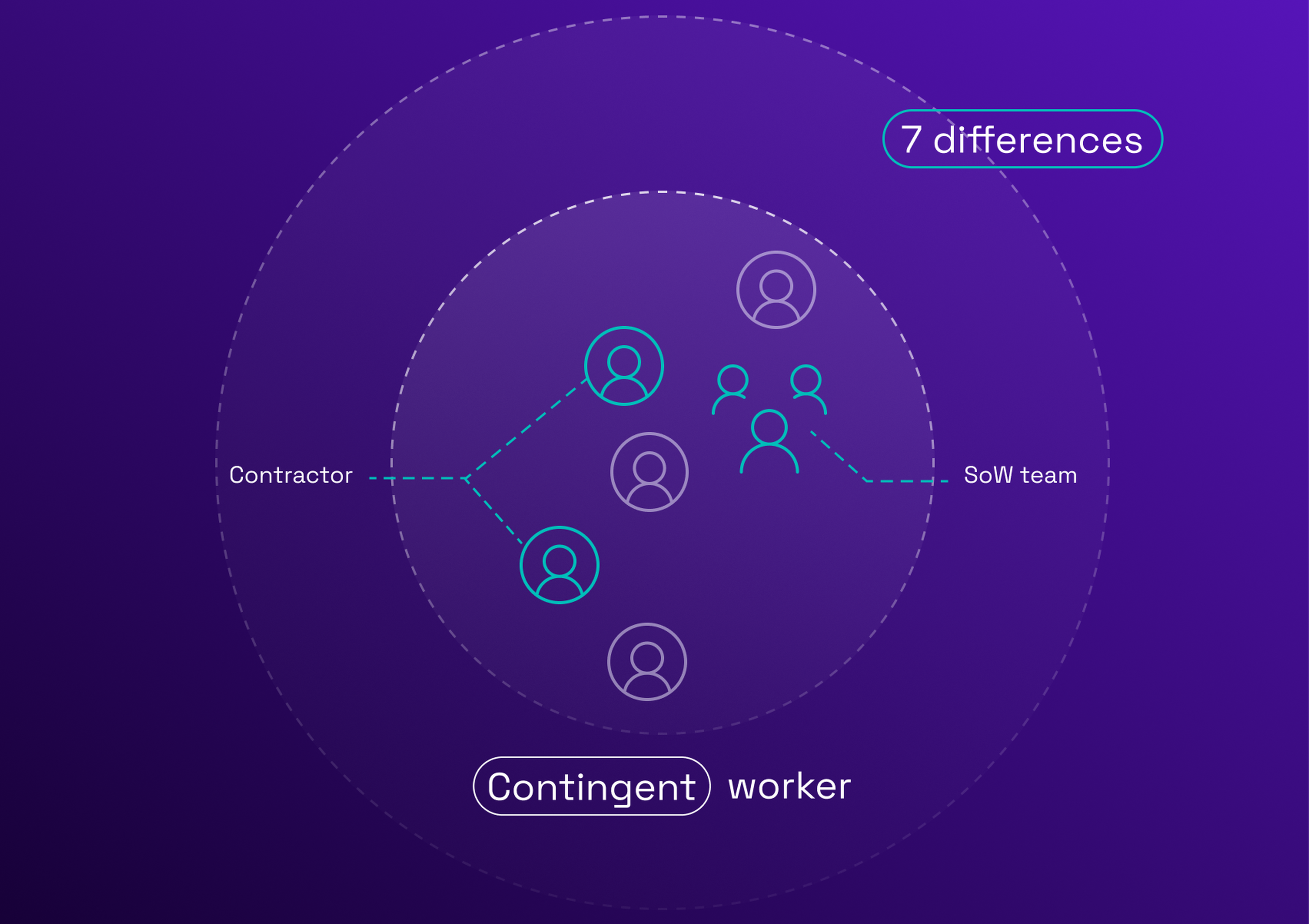
A services PO does not behave like a goods PO. Five differences matter for the integration:
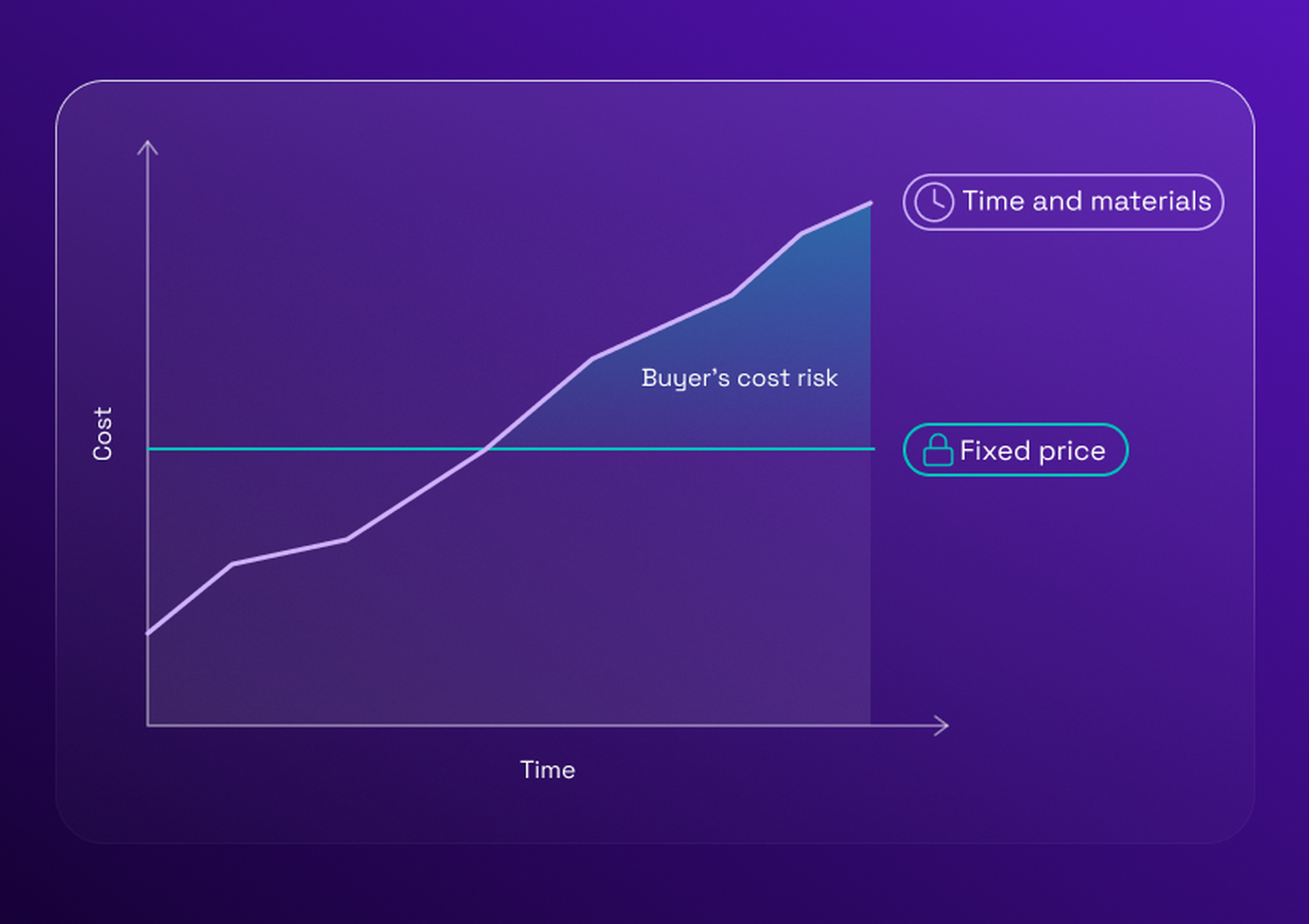
A blanket PO is consumed over time. One PO covers an assignment, and each validated timesheet consumes part of it, so the remaining balance must be visible in every tool.
Rate cards price the lines. A PO line is priced at the agreed day rate, so a rate outside the card is a reject, not an exception to discover at invoicing.
Milestones drive payments on a SoW. PO lines follow milestones, and the receipt is the acceptance of a deliverable, not a delivery note.
An assignment extension is a change order. Extending a consultant by 20 days is a new PO version, and goes through the versioning and re-approval rules above.
A validated timesheet is the receipt. The days approved by the manager are posted as a receipt against the PO line.
The guide to timesheet approval explains how the approval itself works, and the guide to SoW-based procurement covers milestones and acceptance.
Example: a purchase order flow between a VMS, Coupa and SAP
This example is one possible setup, with the ERP as the owner of the PO number. In another setup, the e-procurement tool issues the PO itself, which is the second option in the decision above.
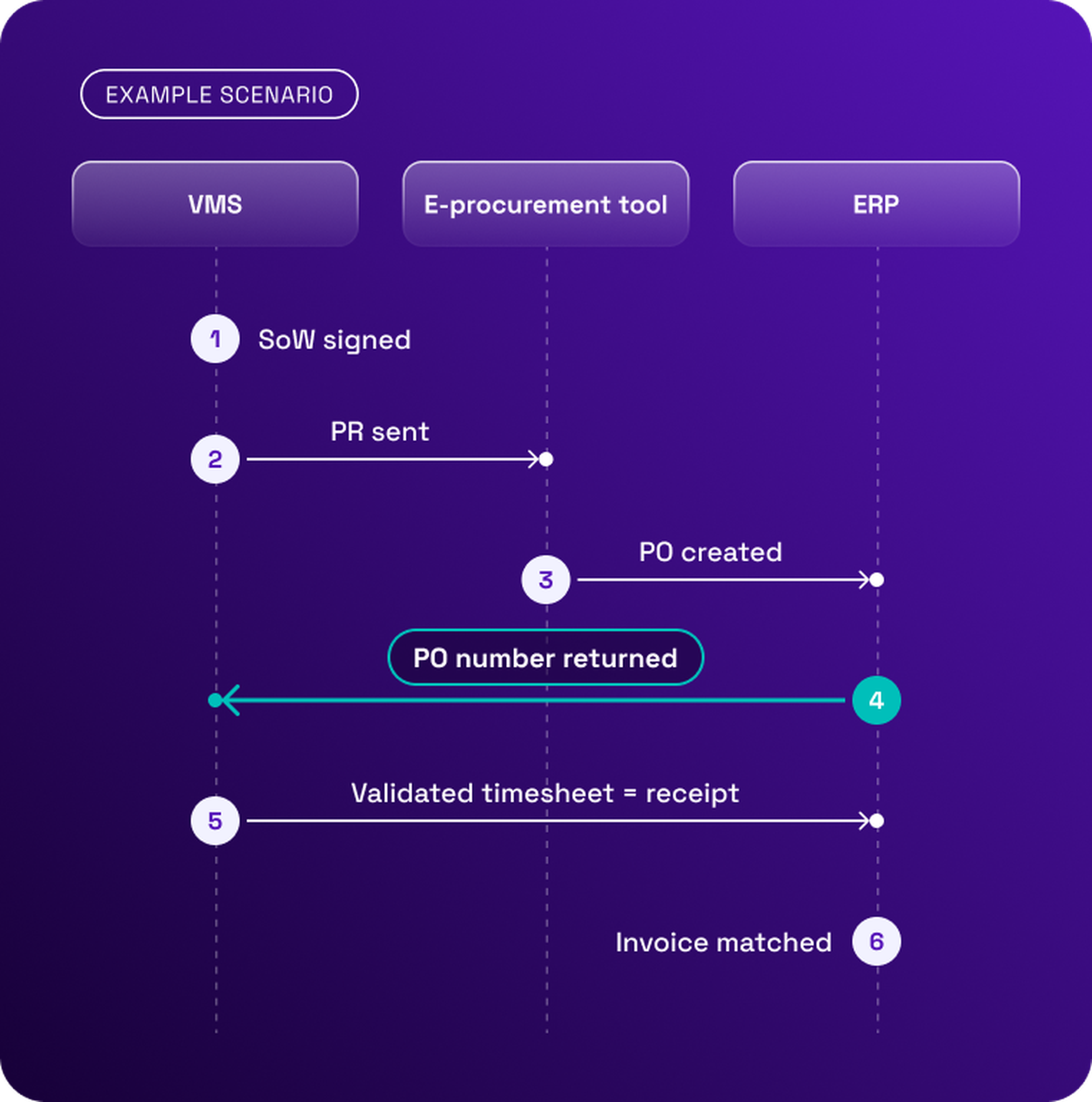
The SoW is signed in the VMS. The assignment, the rates and the budget are fixed.
The PR is sent to Coupa, with the SoW attached, and approved there.
The PO is created in SAP. The approved requisition becomes a PO in the ERP, as a budget commitment.
The PO number comes back to the VMS and is attached to the assignment.
Validated timesheets trigger the receipt. At each approval period, the approved days are posted as a receipt against the PO line.
The invoice is matched against the PO and the receipt in the ERP, and payment is released if they agree.
A Coupa integration and a SAP Ariba integration usually differ more in connectors than in logic: the same six steps apply if the e-procurement tool is SAP Ariba.
Purchase order integration checklist before go-live
The owner of the PO number is decided, per PO type.
A unique technical ID is defined for every PO.
The field mapping is signed off by procurement, finance and IT.
Master data (suppliers, cost centers, accounts) is synced before the first PO.
Change scenarios are tested: increase, decrease and extension.
Cancellation after partial receipt is tested.
Rejects are tested with real data, including duplicates.
Alerts are configured, with a named owner for each type of reject.
Receipts, including validated timesheets, are tested against the PO lines.
The three-way match is tested end to end, from invoice to payment.
Syncing purchase orders in one place
Eleven VMS connects through open APIs to ERP and e-procurement platforms, and a dedicated team supports the integration. A clear PO owner, a signed-off mapping and tested rejects remove most of the surprises at go-live.
Book a meeting with one of our experts for a personalized demo.